


Ever notice how sometimes your gaming chair feels more like a rival than a friend? Today, we’re breaking down how to pick a seat that not only holds you up but also boosts your gameplay. Think of it like suiting up your character before a big match – every little detail plays a part. A sturdy chair supports your back, cuts down on fatigue, and makes those long gaming sessions feel lighter. Stay with me, and I’ll show you what features turn an ordinary seat into your ultimate gaming buddy.
Gaming Chair Buying Guide: Key Considerations Before You Buy
When you’re hunting for the perfect gaming chair, comfort and support should be top of mind. Think of it like choosing your loadout before a big raid, you need gear that feels great for those marathon sessions. A good chair has an ergonomic design with a high back for support, adjustable lumbar to keep your spine happy, and a headrest that you can tweak, like fine-tuning your character's gear, to ease neck tension after hours of play.
It's important to match the chair size to your body. Ever tried playing in a chair that felt too big or too small? It can strain your muscles and ruin your focus. Customizable armrests can be a lifesaver, helping to relax your shoulders and neck when things get intense.
Also, think about the materials. A breathable mesh fabric keeps you cool during long gaming sessions, while leather gives a slick look and is easy to keep clean. The right foam density means you get soft comfort that still offers firm support, so your chair stays comfy for years to come.
There are budget-friendly models and high-end options loaded with adjustable features and top-notch back support. Look for chairs that come with a warranty of up to 3 years and a 30-day free return policy. And hey, fast shipping in major areas like the U.S. and Canada is a pretty sweet bonus.
Before you make your investment, check these points out and you’ll land a chair that boosts both your comfort and game performance.
Gaming Chair Buying Guide: Ergonomic Seat Features to Prioritize

High backrests with adjustable lumbar pillows let you set up the perfect support for your spine. It’s just like fine-tuning your controller for that spot-on grip.
Headrest cushions work hand in hand with neck support, so your neck muscles can relax. Play around with the headrest until you feel the tension melt away, kind of like adjusting your monitor for the best view.
Four-direction armrests help cut down on shoulder and neck strain. Think of it as shifting your in-game settings to find the most comfy spot for your arms.
Reclining backrests that go from 90° to 155° let you change your posture without breaking your game flow. Plus, multi-tilt mechanisms make it a breeze to switch positions during long sessions.
Mesh upholstery keeps you cool when things heat up, while leather is a breeze to clean. Both options are built to keep discomfort away when you’re in it for the long haul.
Advanced Ergonomic Features
Adjustable backrest ranges let you make teeny tweaks for a snug fit, like nudging the angle a few degrees to ease pressure. Multi-tilt systems let you switch things up smoothly, kind of like fine-tuning your game controls.
Plus, cold-cure foam padding holds its shape for over 10 years, giving you lasting support. It’s like upgrading your comfort engine for the long run.
Gaming Chair Buying Guide: Elevate Your Play
If you're planning marathon gaming sessions, comfort starts with having the right materials. Try high-density foam if you need firm support. But if you like a softer feel, low-density foam might be your go-to. And oh, cold foam is amazing, it stays in shape for more than 10 years, kind of like unlocking a secret level for comfort.
A strong frame is a must-have too. Steel frames last way longer than plastic ones, so checking out the frame's durability is a no-brainer. Think of it like picking out a solid chassis for your gaming rig, you need something that won't let you down when things get intense.
Your chair’s upholstery also matters. Mesh fabric is great for breathability and helps keep you cool, thanks to its heat-dissipating design. On the other hand, PU or leather gives your rig a stylish vibe and is easier to clean. Picture yourself winding down after a tough session in a chair that feels as refreshing as a cool breeze, that’s the magic of mesh.
Some chairs even come with extra features like vibration or massage functions to loosen up your muscles, plus built-in speakers for an immersive sound experience. These little perks can seriously boost your gaming setup.
So, when you're checking off your list for comfort and durability, keep these tips in mind to level up your play and beat the fatigue. Enjoy your game!
Gaming Chair Buying Guide: Price Tiers from Budget to High-End
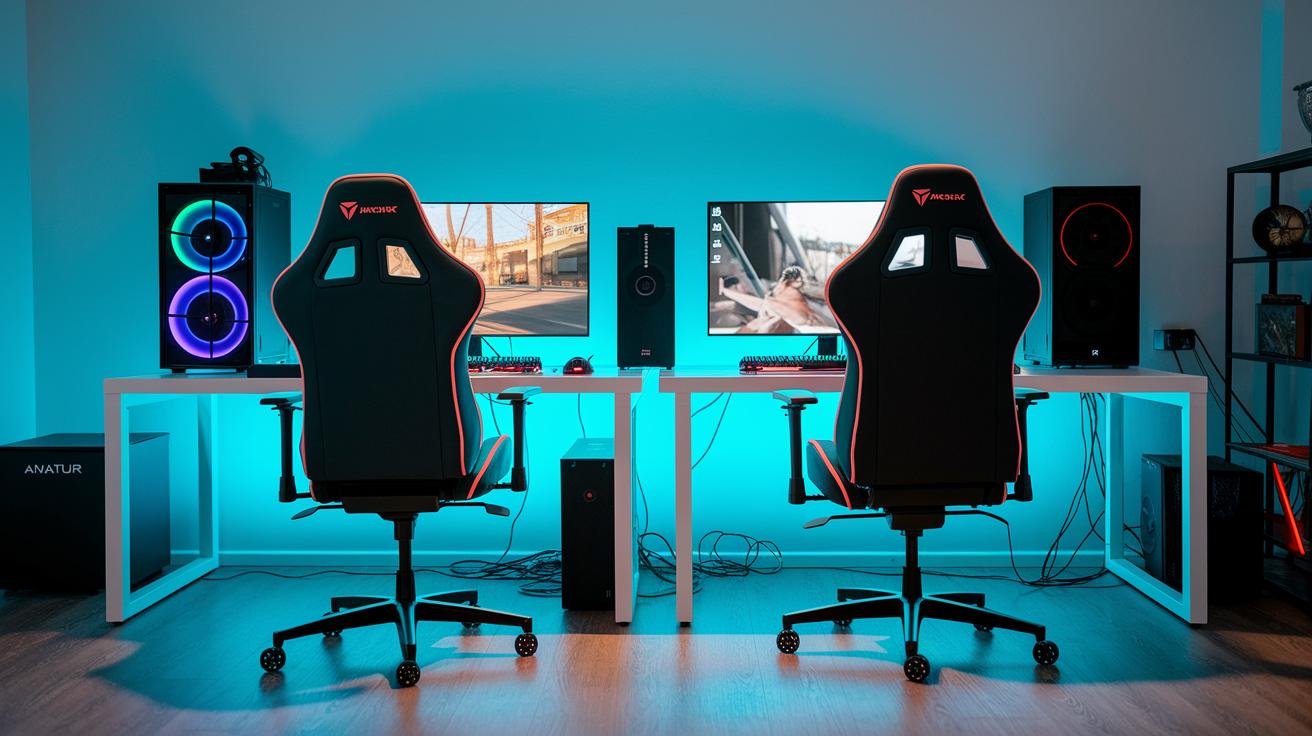
Budget gaming chairs usually cost less than $100 and cover the basics. Chairs like GTPlayer or X-Rocker give you simple support and enough comfort to keep you going during long sessions. They don’t come with fancy features like tilt locking or adjustable headrests, but they’re great if you’re just starting out with proper gaming gear.
Mid-range options, priced between $100 and $300, bring a noticeable upgrade. They usually include adjustable armrests and better padding, so your gameplay feels more cushioned and well-supported. Plus, you’ll often find extra settings like tilt control that let you fine-tune how the chair feels, making it a smart choice if you want more comfort without breaking the bank.
Premium chairs typically cost over $300 and pack a lot of high-end features. These models often sport multi-tilt systems and top-quality foam that stays firm for many years. Big names like SecretLab and Herman Miller lead in this category, offering lots of ways to adjust the chair and even customizable looks. With perks like extended warranties and extra support for those marathon gaming sessions, these chairs are built for both durability and luxury. And sometimes, clever deals or price-match programs can make them just as appealing as they are high-tech.
Gaming Chair Buying Guide: Top Models Side-by-Side Comparison
When you’re comparing gaming chairs, there are a few must-check features: price, how much you can adjust them, the materials used, and the warranty. Each chair has its own twist that might just hit the spot for your gaming style.
Take the SecretLab TITAN Evo, for example. It lets you tilt and adjust in multiple ways and even includes a built-in back support that fits your body. Gamers swear by it for those long, intense sessions when you need a seat that feels like it’s got your back, literally.
Then there’s the Herman Miller Embody x Logitech. Its back support changes as you move, meaning if you’re after top-tier comfort, this chair could be your go-to, even if it costs over $1,000. And if you’re watching your budget, the DXRacer Formula Series might be just the ticket. It offers adjustable armrests so you can fine-tune your setup without spending a fortune.
For those steamy gaming nights, the Razer Enki comes into play with its cool, contoured design and foam infused with cooling gel, perfect for keeping your cool under pressure. Meanwhile, the Corsair T3 Rush blends comfort with affordability through a soft, breathable weave that hits that sweet mid-tier range.
Below is a handy head-to-head table that lays out each model’s price range, key adjustable features, warranty period, and main materials. It’s a quick guide to help you decide which chair suits your gaming needs best, whether you’re chasing advanced back support, easy upkeep, or rugged durability.
| Model | Price Range | Adjustable Features | Warranty | Primary Material |
|---|---|---|---|---|
| SecretLab TITAN Evo | $350–$500 | Multi-tilt, Built-in lumbar | 3 Years | Premium foam/leather |
| Herman Miller Embody x Logitech | $1,000+ | Adaptive back support | 3 Years | High-end fabric |
| DXRacer Formula Series | $150–$250 | Adjustable armrests | 2–3 Years | PU leather |
| Razer Enki | $350–$450 | Contoured profile, Cooling gel-infused foam | 3 Years | Composite foam |
| Corsair T3 Rush | $200–$300 | Breathable adjustability | 3 Years | Soft, breathable weave |
Gaming Chair Buying Guide: Purchase Tips and Aftercare Essentials

Most chairs come with a warranty of about 2 to 3 years, and many even let you return them within 30 days. When your new chair arrives, set aside 20 to 30 minutes to put it together using the Allen keys included in the box. Think of it like this: grab your Allen key, spend a half-hour assembling, and you’re all set to jump into your game in total comfort.
Be sure to hang on to your receipt and any purchase paperwork. They might just save you a headache later if you ever need a repair or a replacement.
Here's how to keep your chair looking and feeling great:
- Warranty and service info: Jot down the warranty details and any special care instructions that came with your chair.
- Return policy: Double-check the return window and terms before you finalize your purchase.
- Assembly and installation: Follow the step-by-step directions and make sure every screw is tightened to keep things steady.
- Cleaning and upkeep: For leather chairs, a damp cloth works best; for mesh types, a quick vacuum removes dust and debris.
- Price match tricks: Look over top retailers like Amazon, Walmart, or Target for any price match deals that could save you 5–10%.
- Online deals and clearance: Keep an eye on holiday sales, flash deals, or clearance discounts to score a great bargain.
Following these tips not only keeps your gaming chair comfy and sturdy but also helps you grab the best deal around.
Gaming Chair Buying Guide: User and Expert Reviews Roundup
When you're on the hunt for a killer gaming chair, the feedback is loud and clear. User ratings show that the SecretLab TITAN Evo rakes in a stellar 4.7/5, while DXRacer holds a solid 4.4/5 and Razer Enki follows with 4.5/5. Gamers rave about how these chairs deliver top-notch build quality and great back support. One user even shared, "The back support in my TITAN Evo made all the difference during long sessions, it felt like my spine was wrapped in a soft, secure hug."
Experts back this up too. They point out that long-term reliability and solid ergonomic features are key when picking a gaming chair. These models have proven they can take a beating from countless hours of play without leaving you with nagging back pain. Plus, community polls have even named the GTPlayer Knight as the best budget option for gamers who want quality without blowing their budget.
All in all, chairs in the $200–$300 range hit that perfect balance. They mix sturdy support with plenty of adjustability, so you stay comfy without overspending. Both gamers and experts agree, a small extra investment in quality goes a long way toward making your gaming sessions more enjoyable and healthier over time.
Final Words
In the action, our guide broke down key factors for choosing the best gaming chair. Ergonomic design, comfort features, and pricing tiers were all explored. We also walked through tips on warranty details, assembly tricks, and upkeep basics to keep your chair in top shape.
This gaming chair buying guide gives you the info needed to balance cost with quality. Enjoy that extra edge of comfort and get ready to play your best!
FAQ
What should you consider when buying a gaming chair?
The question about buying a gaming chair covers factors like ergonomic design, adjustability, material quality, ideal dimensions for your body, and service policies such as warranty and return time.
How much should you pay for a good gaming chair?
This pricing query means budget options may be under $100, mid-range chairs cost around $100–$300, and high-end models exceed $300, with advanced adjustments and premium materials.
What is the most recommended gaming chair?
The recommended chair often comes down to community favorites like the SecretLab TITAN Evo for premium builds and established budget options, with many experts favoring chairs that deliver consistent ergonomic support.
Is it better to have a firm or soft gaming chair?
The firmness question highlights that a firm chair with durable foam offers lasting support during play, while a softer option may provide extra cushioning for those who value a plush seating experience.
What extra features should gamers look for in a gaming chair?
The inquiry into extra features includes built-in speakers with vibration for enhanced immersion, options for larger users, breathable mesh variants, and superior ergonomic elements to keep you comfortable over long sessions.