

Ever wondered why gamers pick one platform over another? Gamer Hub sits on your smart TV, ready to let you jump right into play while offering cool gaming tips.
On the other hand, Game Portal streams your favorite Steam titles directly to your phone with neat display modes. It's like choosing between the classic arcade feel and a modern mobile streaming setup.
In this post, we'll break down the unique perks of each option so you can decide which one fits your play style best.
Key Features Comparison: Gamer Hub vs Game Portal
Samsung Gaming Hub is built right into smart TVs and makes it super easy to jump into cloud services like Xbox Game Pass, GeForce Now, and Amazon Luna. It even works with controllers like Xbox and PS5 to give you a smooth, ready-to-play experience. Plus, it features a Gaming Guides section loaded with tips to help you pick top games and level up your skills. Imagine walking into a cozy arcade in your living room, everything is set up just for you.
Game Portal, however, is an Android app that streams your Steam library straight to your smartphone. It comes in two flavors: the full GameHub version that supports both touchscreens and controllers, and GameHub Lite for offline play, which ditches telemetry tracking for those who care about privacy. If you subscribe to GameHub+ (also known as the GeForce NOW Priority Lite Bundle), it costs S$13.90 a month. With it, you get a richer online experience and a slick, interactive interface that lets you dive into a large game collection instantly.
| Feature | Gamer Hub | Game Portal |
|---|---|---|
| Cloud Services | Provides Xbox Game Pass, GeForce Now, Amazon Luna | Streams your Steam library through the GameHub app |
| Platform Integration | Built into smart TVs with support for controllers | Android-based with both touchscreen and controller modes |
| Subscriptions | Free service; subscriptions bought separately | GameHub+ costs S$13.90/month; Lite version is free |
| User Interface | Features a special Gaming Guides section | Clean UI; Lite version keeps things simple |
| Data Management | Requires online connection for live updates | Regular version tracks usage; Lite removes telemetry |
These key differences let users decide what matters more to them. Gamer Hub gives you a polished, all-in-one living room feel, while Game Portal is perfect for those who want gaming on the go and value privacy, whether you're connected to the cloud or playing offline.
Interface & Usability Differences: Gamer Hub vs Game Portal
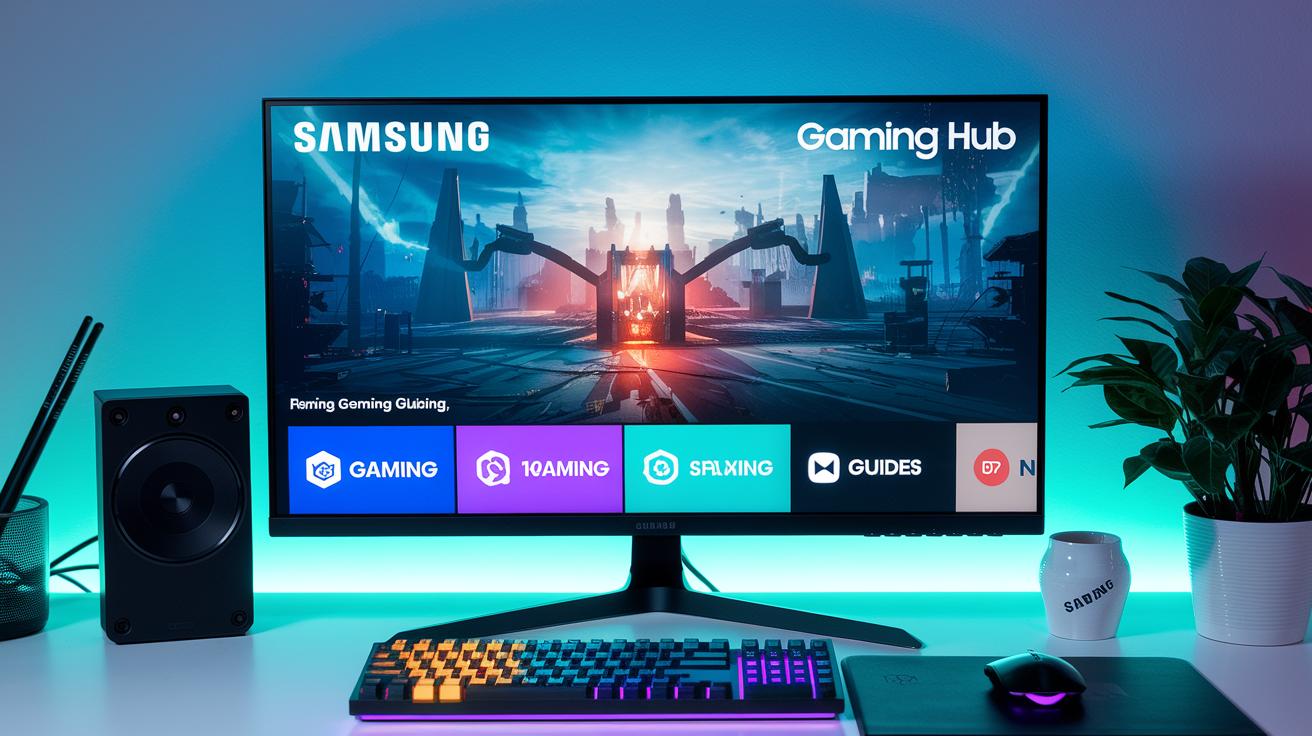
Samsung Gaming Hub sports a clean design that splits things into clear zones like gaming, streaming, and handy guides. It helps you quickly find your favorite games and get top tips from the dedicated Gaming Guides tab. Its layout is built for simplicity, much like those cool pop-ups in Logitech G HUB that make fixing issues a snap.
Game Portal, on the other hand, focuses on flexible navigation through its app. The main version is built for both touchscreen use and controller input, giving you a smooth, hybrid experience across devices. Meanwhile, the Lite version ditches extra stuff like login prompts and telemetry to deliver a straightforward, distraction-free setup, especially if you care about privacy and offline play.
When you stack them up, each platform clearly moves in its own way. Samsung Gaming Hub’s well-segmented design and easy-to-find guides make it a great pick for smart TV gamers. And Game Portal’s adjustable interface offers a versatile option for those using mobile devices who love mixing up their controls.
Content Diversity Analysis in Gamer Hub vs Game Portal
Cloud vs Local Libraries
Samsung Gaming Hub rocks a cloud library loaded with titles from Xbox Game Pass, GeForce Now, and Amazon Luna. New games pop in all the time, so there's always something fresh to try. Meanwhile, with Game Portal, you’re stuck with your own Steam collection, and GameHub Lite sticks with a set list that only refreshes when the app updates. This little twist means you either get a live, changing lineup or just what you already own.
Dynamic Content Updates
Ever dive into a game and feel like the world keeps surprising you? That’s what Samsung Gaming Hub aims for with its cool Gaming Guides. These guides dish out top picks and community tips to help you discover hidden gems. With new walkthroughs and game suggestions dropping regularly, your library never feels stale, it's like exploring a virtual treasure chest that’s always refilled.
Personalized Suggestions
What really makes a choice come alive is how smart each platform is about your game style. Game Portal might lean on your steady, offline Steam game list, but its subscription mode keeps your experience buzzing with real-time data. It watches what you play and then hints at similar titles you could enjoy, kind of like a friend who always gets your taste. So, if you’re deciding between a lively, ever-changing library and a familiar, static collection, this feature might just tip the scales.
Community Engagement & Social Features: Gamer Hub vs Game Portal
Samsung Gaming Hub keeps things simple with its Gaming Guides that dish out neat tips and tricks, even if it doesn't let you chat directly within the app. Game Portal, on the other hand, leans on outside chat and streaming tools for that social vibe, and if you grab its Lite version, you won't find any community features at all. With over half of hybrid workers facing tech hiccups, it's clear both platforms know that solid social tools are a must. One smooths your way with built-in guides, while the other wraps you into a network with external support.
Social Hubs and Forums
At Samsung Gaming Hub, you won't find an in-app chat or forum. Gamers get to dive into expert advice or use third-party chat options instead. Flip the coin to Game Portal: it hooks you up with popular external chat and streaming services. But if you're using its Lite version, you're missing out on all group interaction. It’s an interesting split, one platform offers direct in-game guides, while the other connects you with the big leagues of social tools, setting the stage for things like leaderboards and tournaments.
Gamification Elements
Both services boost your experience with cool game mechanics. Game Portal uses subscription perks and smart, data-backed hints to give you a lively, tailored feel, nudging you with suggestions that match how you play. Samsung Gaming Hub might not focus as much on rewards, but it shines by letting you tweak settings like social feeds and live-event features. This extra touch makes your gaming space feel custom-built, much like a personal hub where you call the shots.
Subscription & Monetization Models for Gamer Hub vs Game Portal
Samsung Gaming Hub is free to jump into. But each streaming service within it, like Xbox Game Pass, GeForce Now, or Amazon Luna, comes with its own monthly fee of about $10. This way, you only pick what fits your game style. It’s like choosing just the right tools for your custom game setup.
Game Portal works a bit differently with two options. One gives you a top-notch, online experience loaded with extras, while the other is a no-frills offline version without any data tracking. Ever upgrade a game and get new skins plus extra levels? It’s a similar idea here, you decide which features you need without buying in-game points.
In a nutshell, Samsung Gaming Hub suits gamers who want flexibility by mixing services they choose, whereas Game Portal targets players who either crave a connected, premium vibe or a simple, offline gameplay mode. These different strategies might even set the stage for future pricing and how platforms hook us in for the long run.
Technical Performance & Security: Gamer Hub vs Game Portal
Streaming on Samsung Gaming Hub can get a bit glitchy when your bandwidth isn’t steady. You might see odd visuals or experience some buffering, which can really kill the vibe mid-game. It’s like trying to push through a boss fight with lag – frustrating and out of sync. Some setups even let you jump in anonymously, giving a speed boost but missing out on the deep game stats that tell you what’s really happening on the backend.
When it comes to handling your game data, GameHub usually syncs everything with central servers for quick access. That’s great for speed, but it might set off alarm bells if you care about privacy. On the flip side, GameHub Lite ditches telemetry tracking altogether – perfect if you’re all about keeping your data under wraps. They both use solid security measures, such as AES encryption and regular updates to patch vulnerabilities. Still, some portals trade detailed analytics for extra speed, so it’s a balance between real-time performance and keeping secrets safe.
Developer support and future upgrades are a big deal, too. With regular enterprise updates – think Logitech G HUB style – these platforms are built to evolve fast. Quick fixes and new features roll in like a well-coordinated patch update, always aiming to improve both performance and security. In the end, how smooth your streaming is and how well your data is protected shape the whole gaming experience. It’s clear that the future is all about leveling up both speed and safety, making each gameplay session better than the last.
Final Words
in the action, we explored key aspects like core features, ease of use, content variety, community elements, pricing plans, and performance. We compared Samsung Gaming Hub and the GameHub app, showing how clear differences between gamer hub and game portal shape your play. The analysis shed light on streaming options, interface tweaks, and user privacy while keeping things fun. The review leaves you ready to try out the platform that fits your style, with plenty of insights to boost your gaming moments ahead.
FAQ
What are the differences between the Gamer Hub and the Game Portal on Reddit and Xbox?
The differences show in community insights and system integration. Reddit users cite forum feedback, while Xbox features focus on subscription models and interface design to suit different gaming setups.
What games are available on the Samsung Gaming Hub?
The Samsung Gaming Hub delivers a range of cloud titles from Xbox Game Pass, GeForce Now, and Amazon Luna, along with expert guides to help you pick what fits your play style.
What is Gaming Mode on Samsung phones?
Gaming Mode on Samsung phones optimizes performance by reducing distractions and boosting resources. This gives you smoother gameplay and a more responsive experience during play.
Where is the search bar on the Samsung Gaming Hub?
The search bar is positioned at the top of the Gaming Hub interface, letting you quickly locate games, tips, and streaming options so you can get right to your next match.
How can I access free Samsung games and gaming mode on Android?
Samsung users on Android can download the Samsung Gaming Hub app. This app offers free games and a dedicated gaming mode with features like controller pairing to enhance play.
What does the Samsung Gaming Hub do?
The Samsung Gaming Hub brings cloud games from Xbox Game Pass, GeForce Now, and Amazon Luna onto your smart TV. It also provides easy controller pairing and expert guides for smooth play.
What is the point of the Game Portal?
The Game Portal centralizes your game library, helping you manage and launch titles while providing expert tips. It creates an easy-to-use hub that makes gaming sessions more enjoyable.
Is the Samsung Gaming Hub any good?
The Samsung Gaming Hub impresses with its rich cloud library, user-friendly interface, and helpful gaming guides. Gamers appreciate its smooth performance and reliable controller support.
What is the LG Gaming Portal?
The LG Gaming Portal offers a similar experience to Samsung’s version, with curated game lists and streaming features designed specifically for LG smart TVs to enhance your play experience.